

A 4-Week Accelerated Implementation
for Teams Ready to Go Live.
FastStart for Propel PLM
FastStart for Propel PLM is an accelerated implementation designed to activate core PLM capabilities using standard Propel configuration and proven delivery patterns.
Domain’s FastStart is an implementation service designed for SMB manufacturers that want an accelerated implementation path.
Who Propel FastStart Works For
FastStart is designed for SMB manufacturers that:
- Want Propel live quickly and can agree to work within the timelines provided
- Can operate within standard workflows.
- Have a small, accountable project team.
If your goal is a fast, predictable go-live on standard Propel PLM, this model fits.

What Gets Implemented in Propel PLM FastStart
Core PLM Capabilities
| Capability | Scope |
|---|---|
| Item & BOM Management | Product structure and relationships |
| Change Management (ECR / ECO) | Controlled engineering changes |
| Approved Manufacturer Lists (AMLs) | Supplier and component control |
| Lifecycle States | Standard state progression |
| Numbering & Categorization | Consistent data structure |
Propel Platform Enablement
These capabilities form the operational baseline most manufacturers rely on day to day.
| Area | Included |
|---|---|
| Salesforce Org Provisioning | Propel-ready environment |
| Users | Up to 20 internal users |
| Access Control | Role-based permissions |
| Collaboration | Standard notifications and sharing |
All configuration stays within Propel-supported standards.
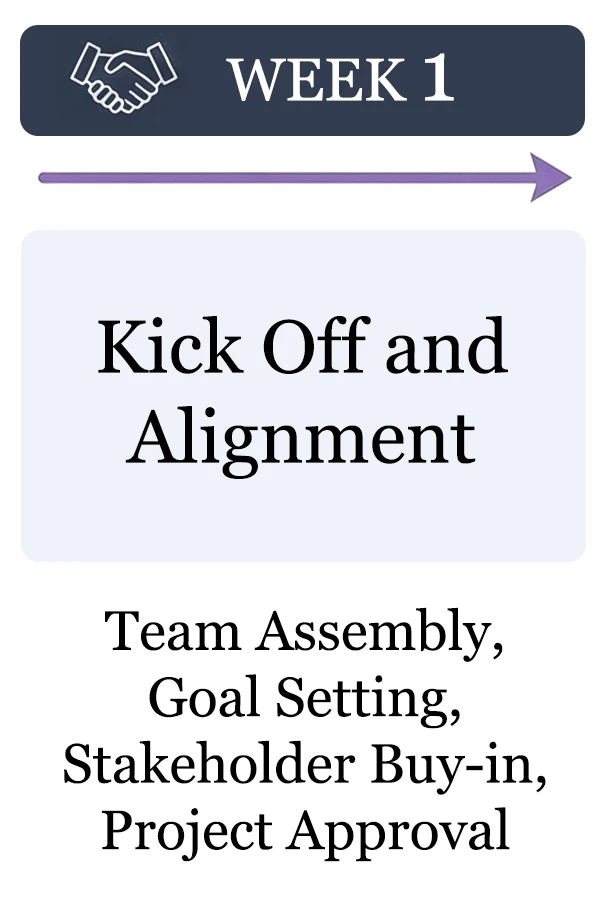
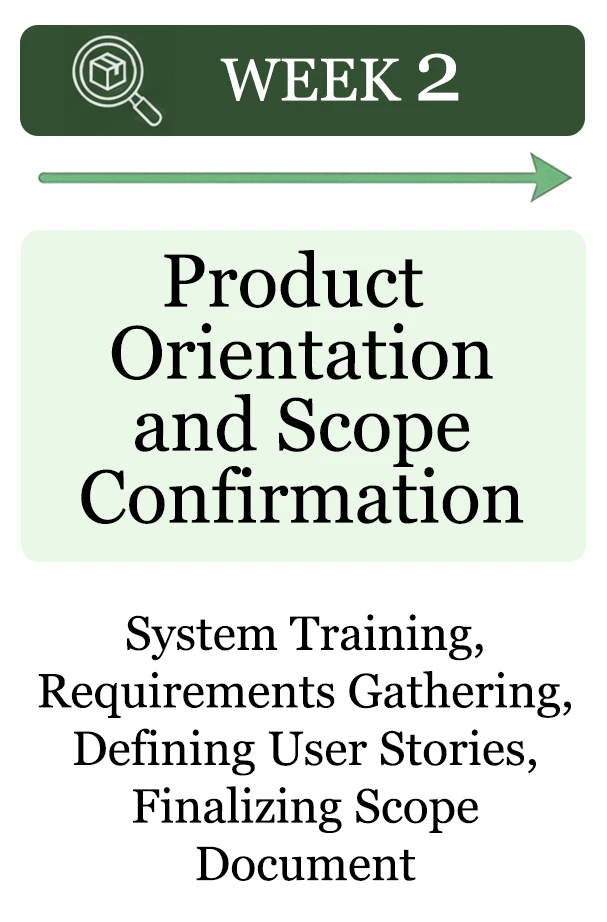
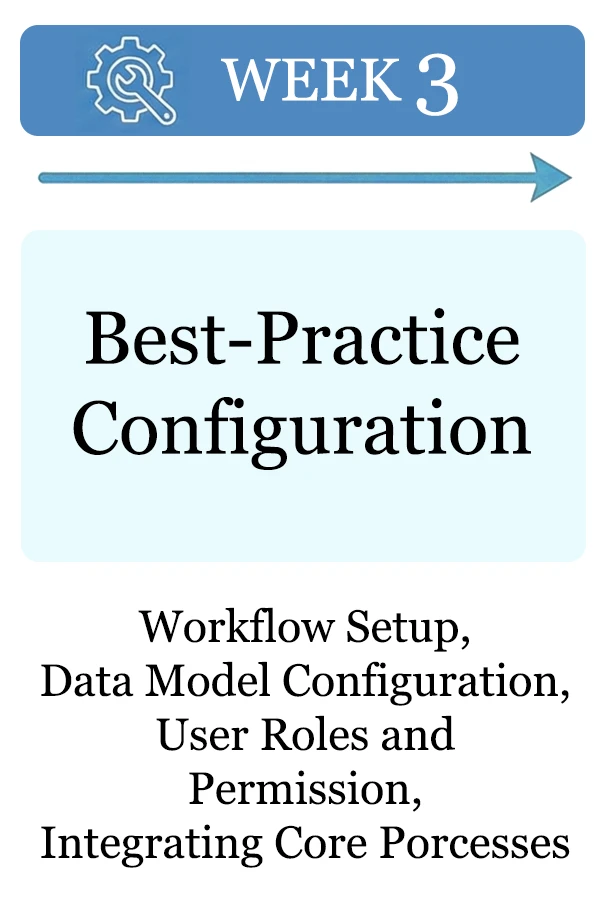
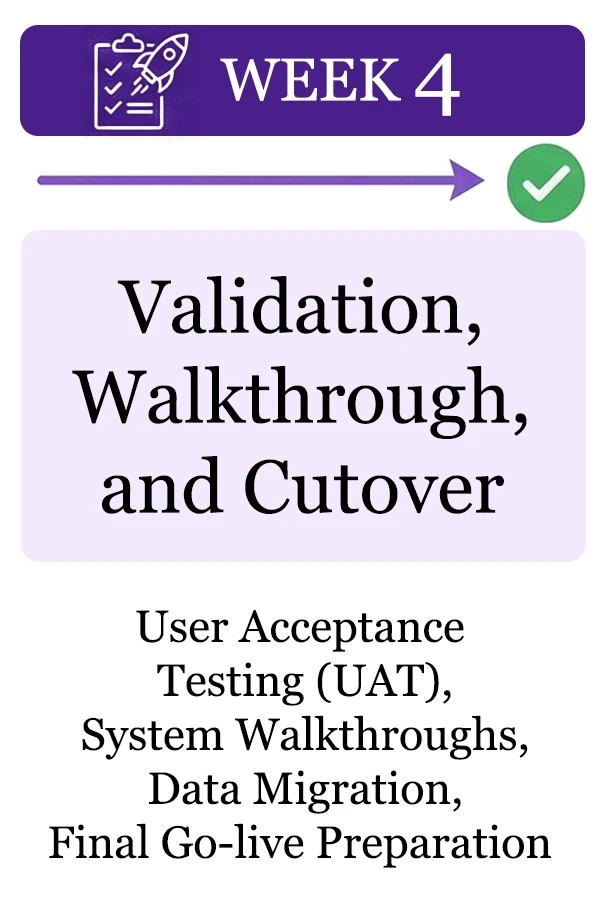
4-Week Propel PLM Implementation Timeline
How Teams Succeed with Propel FastStart
FastStart implementations succeed when teams provide:
- Clear scope and success criteria
- A single project lead
- A named executive sponsor.
- Weekly availability for decisions
This structure prevents drift, rework, and stalled implementations.
Engagement Model
| Attribute | Detail |
|---|---|
| Duration | Four consecutive weeks |
| Delivery | Domain Systems, aligned to Propel standards |
| Configuration | Propel standard |
| Exclusions | Data migration, customization, quality |
| Optional Add-Ons | Migration, integration, ongoing support |
Measuring Early Value
Teams define success metrics in the first week. Typical indicators include:
| Metric | Purpose |
|---|---|
| Change cycle time | Process efficiency |
| Design reuse | Domain Systems, aligned to Propel standards |
| Configuration | Data quality and adoption |
| Process adherence | Operational consistency |
| User adoption signals | Readiness for expansion |
These metrics confirm stability before additional complexity is introduced.
Beyond FastStart: Optional Propel PLM Services
FastStart is intentionally focused on getting Propel live using standard configuration.
Some organizations choose to extend the work to address:
- Domain FastStart for Propel Quality
- Integrations
- Data migration
- Ongoing application support
- Advanced configuration or workflow refinement
These services are optional and typically evaluated once the system is operating in production.
Why Domain Systems
Domain Systems brings 30 years of PLM implementation experience and 20 years’ offering accelerated onboarding.
That experience shows up in disciplined scope, controlled configuration, and predictable execution, especially in the early stages where mistakes are most expensive.
What FastStart Prepares You For
FastStart establishes a stable baseline which supports:
- Future data migration
- Integrations
- Expanded workflows
- Ongoing application support
These steps remain optional. The foundation does not.
Next Step:
If you’re preparing for a Propel implementation and want a fast, controlled start, schedule a planning call to confirm readiness and fit.
FAQ
What is FastStart?
FastStart is a four-week Propel PLM implementation service delivered by Domain Systems.
It focuses on activating core PLM capabilities using standard configuration so teams can go live quickly and predictably.
Is this a full Propel PLM implementation?
FastStart delivers a production-ready baseline, not a fully expanded or customized end state.
Many organizations begin with FastStart and then extend into data migration, advanced configuration, integrations, or ongoing support once Propel is live and stable.
Does FastStart include data migration?
No. Data migration is not included in the FastStart scope.
Migration is available as an optional add-on and is typically evaluated after go-live, once the system structure and workflows are validated.
Does FastStart include custom workflows or configuration?
FastStart uses standard Propel-supported configuration.
Advanced configuration or workflow refinement can be added later, if needed, after the initial implementation is complete.
How many users are included?
FastStart includes setup for up to 20 internal users, with role-based access aligned to standard Propel roles.
Additional users can be added after go-live.
Who needs to be involved from our team?
Successful FastStart projects typically require:
- A named executive sponsor
- One project lead
- Weekly availability from key stakeholders for decisions and validation
No large project team is required.
How is the 4-week implementation broken down?
FastStart follows a fixed four-week timeline:
- Week 1: Kickoff and alignment
- Week 2: Product orientation and scope confirmation
- Week 3: Configuration
- Week 4: Validation and cutover
The schedule is designed to prevent drift and maintain momentum.
Is FastStart appropriate for regulated manufacturers?
FastStart emphasizes controlled configuration, documented decisions, and predictable execution.
Many regulated manufacturers use this approach to establish a clean baseline before introducing additional complexity.
What happens after the four weeks?
After go-live, organizations may choose to extend the engagement to address:
- Data migration
- Advanced configuration
- Integrations
- Ongoing application support
These services are optional and evaluated based on operational needs.
Is FastStart limited to small companies?
FastStart is designed for SMB and small-to-mid-sized manufacturers, but it is also used by larger teams that want a controlled, phased rollout of Propel PLM.